


Cyberattack? Here’s Exactly What Your Business Should Do in the First Hour
It’s 2pm on a normal Monday.
Your team are busy working, emails are flowing, and everything seems normal. Then suddenly something isn’t right.
Files won’t open. Systems are running strangely. A ransom note appears on screen. Staff start reporting login issues.
If your business experiences a cyberattack, what happens in the next hour can have a huge impact on how quickly you recover, how much the incident costs, and whether valuable data can be protected.
The good news is that you don’t need to be a cybersecurity expert to take the right first steps.
This guide explains exactly what to do, what not to do, and how to minimise damage while help is on the way.
Before Anything Else: Don’t Make Things Worse
When something suspicious happens, it’s natural to react quickly. Unfortunately, some of the most common reactions can make recovery more difficult.
Before touching anything, avoid these mistakes:
- Don’t immediately switch the affected computer off. If possible, disconnect it from the network instead. Powering down can remove valuable evidence that helps identify how the attack happened.
- Don’t delete suspicious files, emails or ransom notes. Your IT team may need them during the investigation.
- Don’t pay a ransom immediately. Payment doesn’t guarantee your files will be returned and may encourage further criminal activity.
- Don’t use potentially compromised email accounts to discuss the attack. If attackers have access to your mailbox, they may be reading those conversations.
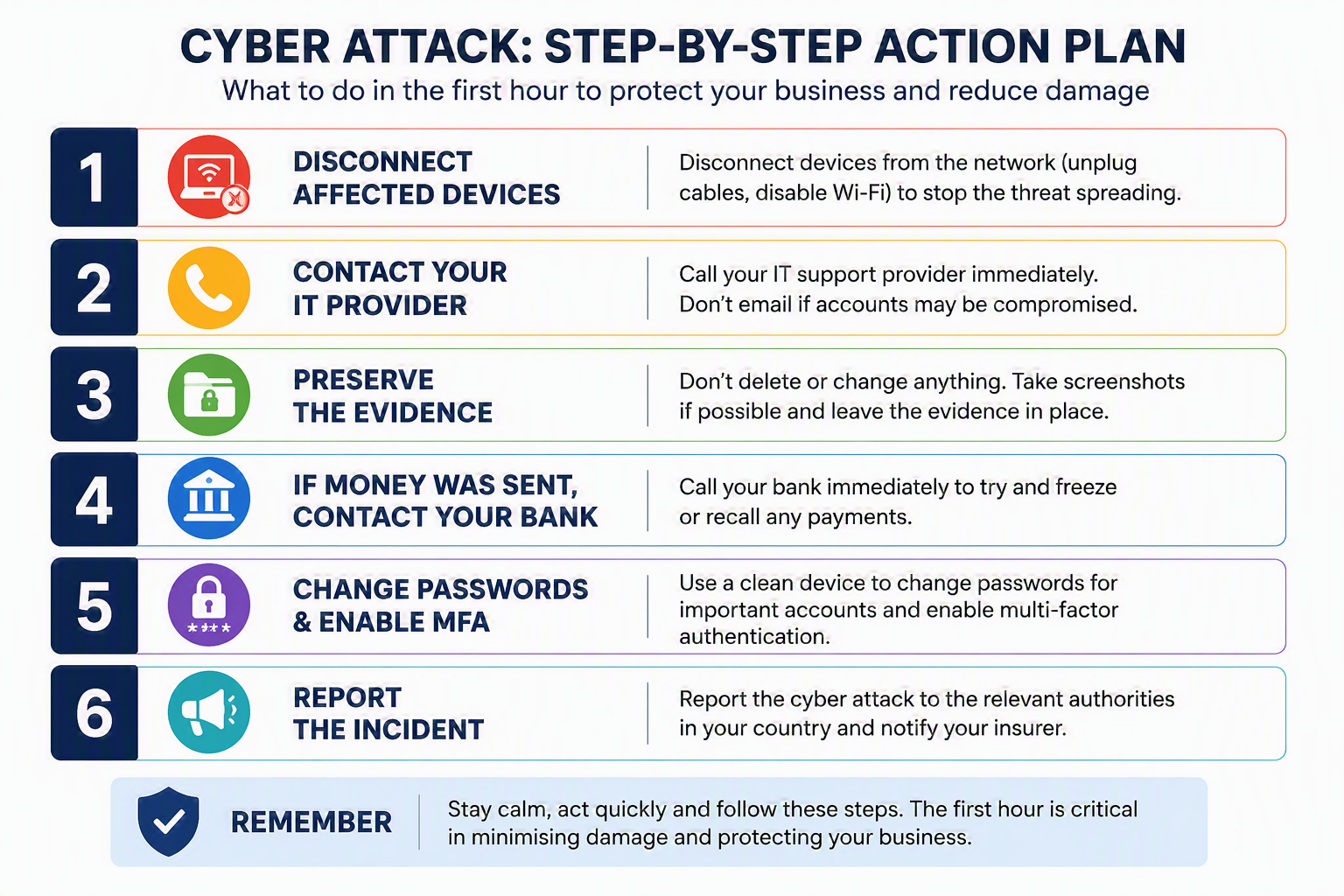
Your First-Hour Cyberattack Response Plan
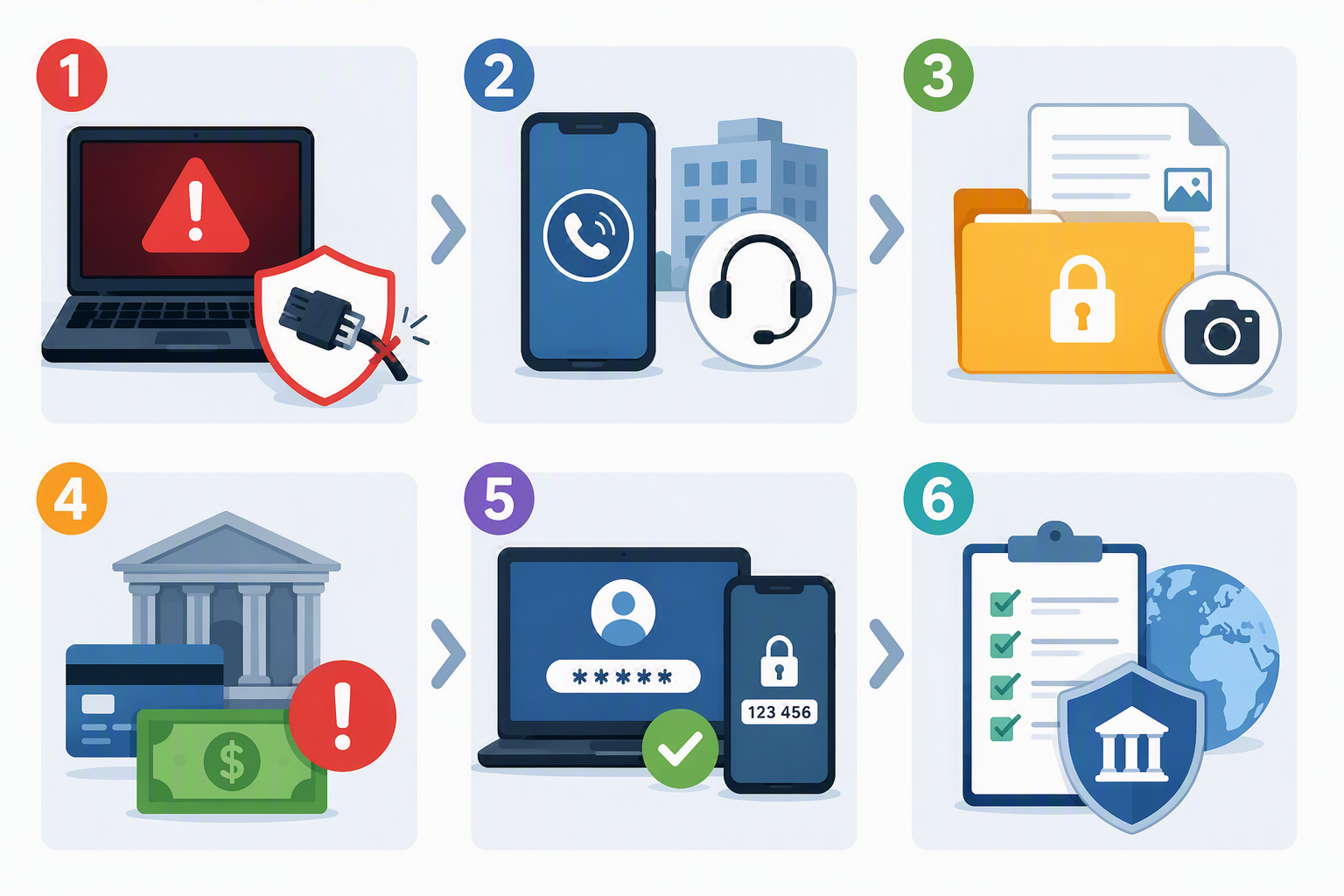
1. Disconnect Affected Devices From The Network
Your first priority is containment.
If a device appears compromised, disconnect it from the network immediately by:
- Removing the network cable
- Disabling Wi-Fi
- Disconnecting VPN connections
This helps stop malware or ransomware spreading to file servers, backup systems and other devices across your organisation.
Think of it as closing a fire door before a fire spreads throughout a building.
2. Contact Your IT Provider Immediately
Pick up the phone and call your IT support provider straight away.
A cyberattack is rarely the time for email, particularly if email accounts may have been compromised.
An experienced IT team can quickly determine:
- Whether the attack is still active
- How many systems have been affected
- Whether backups remain safe
- What immediate containment measures are needed
- Whether legal or regulatory reporting requirements apply
If you have cyber insurance, notify your insurer as soon as possible as well. Many policies require incidents to be reported quickly and may provide access to specialist response teams.
3. Preserve Evidence
One of the biggest mistakes organisations make is trying to fix the problem themselves before the investigation begins.
Avoid:
- Reinstalling software
- Deleting files
- Running multiple clean-up tools
- Restoring backups prematurely
If safe to do so, take screenshots or photographs of error messages, ransom notes and unusual activity, but leave the original evidence in place.
The more information available, the better chance your IT team has of understanding what happened and preventing it from happening again.
4. If Money Has Been Sent, Call Your Bank Immediately
If attackers have tricked someone into transferring funds through invoice fraud or a compromised email account, speed is critical.
Contact your bank immediately and ask whether the payment can be frozen, recalled or recovered.
The first few hours often provide the best opportunity to stop funds reaching criminal accounts.
5. Change Passwords Using A Trusted Device
If there is any possibility that accounts have been compromised, begin changing passwords from a device you know is unaffected.
Prioritise:
- Email accounts
- Administrator accounts
- Microsoft 365 accounts
- Banking platforms
- Business-critical applications
Where it isn’t already enabled, switch on Multi-Factor Authentication (MFA) immediately. MFA remains one of the most effective ways to prevent unauthorised access to business accounts.
6. Report The Incident
Reporting cybercrime helps authorities track threats and may be necessary to meet regulatory obligations.
United Kingdom
- National Cyber Security Centre (NCSC)
- Action Fraud
United States
- Internet Crime Complaint Center (IC3)
- Cybersecurity and Infrastructure Security Agency (CISA)
Australia
- ReportCyber
If personal data has been exposed, additional reporting requirements may apply depending on where your organisation operates.
What If Customer Or Employee Data Has Been Exposed?
A cyberattack isn’t just an IT issue. It can quickly become a legal and reputational challenge too.
Under UK GDPR, organisations must report certain personal data breaches to the Information Commissioner’s Office (ICO) within 72 hours of becoming aware of the incident where there is a risk to individuals’ rights and freedoms.
If customer records, payroll information, HR data or other sensitive information may have been exposed, seek advice from your IT provider and legal advisers immediately.
The earlier you assess the situation, the easier it is to meet notification deadlines and protect those affected.
Should You Pay The Ransom?
This is often the question everyone asks first.
In reality, there is rarely a simple answer.
However, law enforcement agencies and cybersecurity specialists generally advise against paying because:
- There’s no guarantee your data will be returned
- Criminals may retain copies of your information
- Paying can make your organisation a future target
- The money helps fund further criminal activity
Before making any decision, speak to your IT provider, insurer and relevant authorities.
In some cases, recovery can be achieved through backups or specialist decryption tools without paying attackers at all.
The Best Time To Prepare Is Before An Attack Happens
The organisations that recover fastest are usually not the lucky ones. They’re the prepared ones.
Every business should have a straightforward incident response plan that includes:
- Who to call first
- Emergency contact numbers
- Backup locations and testing records
- Insurance information
- Recovery priorities
- Key systems and accounts
It doesn’t need to be a complex document. A simple one-page plan can save valuable time when every minute counts.
Frequently Asked Questions
What’s the first thing I should do during a cyberattack?
Disconnect affected devices from the network and contact your IT support provider immediately. Containing the issue quickly helps prevent further damage.
Should I switch off a ransomware-infected computer?
Not usually. If possible, disconnect it from the network instead. Powering the device off can remove evidence that may help identify the type of attack and how it entered your systems.
Should I pay the ransom?
Most cybersecurity experts and law enforcement agencies advise against paying. Speak with your IT provider, insurer and legal advisers before making any decision.
What if we’ve transferred money to a scammer?
Contact your bank immediately and ask whether the payment can be frozen or recalled. The sooner you act, the better the chance of recovery.
Who do I report a cyberattack to in the UK?
Businesses should report incidents to the National Cyber Security Centre (NCSC) and Action Fraud. Additional reporting to the ICO may be required if personal data has been compromised.
Need Help Strengthening Your Cyber Defences?
Cyberattacks can happen to organisations of any size, but the businesses that recover quickest are usually the ones that have prepared in advance.
At Bespoke IT Solutions, we help organisations across Hampshire, Surrey, Berkshire and the South East improve their security posture, protect Microsoft 365 environments, implement robust backup solutions and develop practical cyber resilience strategies.
Whether you’re looking to achieve Cyber Essentials certification, strengthen your cybersecurity, improve your backup and disaster recovery plan, or simply gain confidence that your business is protected, our team is here to help.
Speak to Bespoke IT Solutions today for a friendly, no-obligation conversation about protecting your business from modern cyber threats.








